Summary
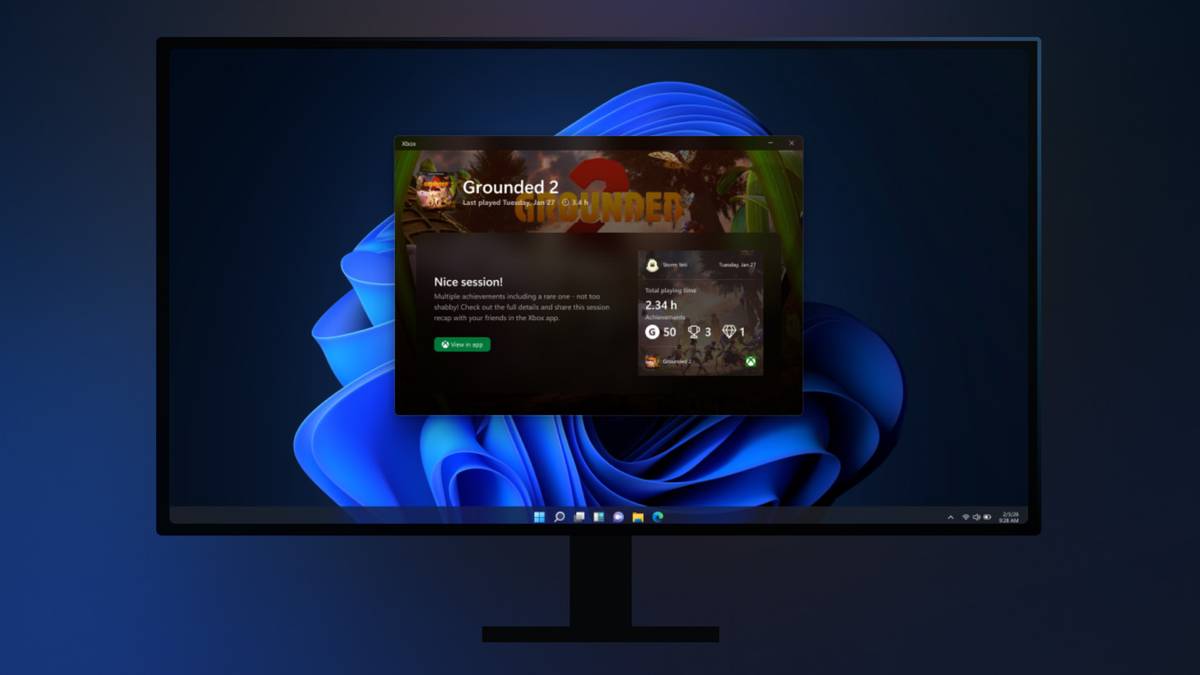
The Xbox Windows 11 app is getting postgame recaps with highlights, screenshots, clips, achievements, and more.
Recaps appear selectively (this first time you play a game or when you capture) and will not auto-record everything; you can opt out in the app’s Settings.
Recaps include Microsoft Store game recommendations based on what you’ve played.
Microsoft is bringing postgame recaps that pull up an overview of notable moments from your most recent gaming session, including highlights, screenshots, clips, achievements, and “relevant in-game events,” to the Xbox Windows 11 app.
The tech giant says that these recaps “are designed to show up only when they’re useful,” so your postgame report won’t be full of boring moments, and it also won’t appear every time you play. That said, Microsoft says you’ll likely get a recap when you boot up a game for the first time, along with when you manually capture a screenshot or video while playing through the Xbox Game Bar.
With that in mind, it doesn’t seem like the Xbox app’s postgame recaps feature will automatically capture screenshots or video from whatever game you’re playing.
You can easily turn postgame recaps off
As expected, there’s an Xbox Store tie-in
Of course, no feature is complete without a questionably useful store tie-in. Recaps will also show recommendations for games similar to the one you’re currently playing, complete with Microsoft Store links. Whenever postgame recaps are enabled, as expected, the Xbox app runs in the background on your system tray. However, Microsoft says it’s optimized the feature to ensure it doesn’t affect game performance.
If postgame recaps don’t sound like your thing, you can turn them off in the Xbox app by navigating to Settings > App > Postgame Recaps Menu.
The Xbox PC app is getting a new feature that recaps your gaming session